
How PosturePass verifies unmanaged devices before access
Check the device at sign-in. Allow compliant ones. Show failed ones how to fix it. Log everything.
From device check to access decision
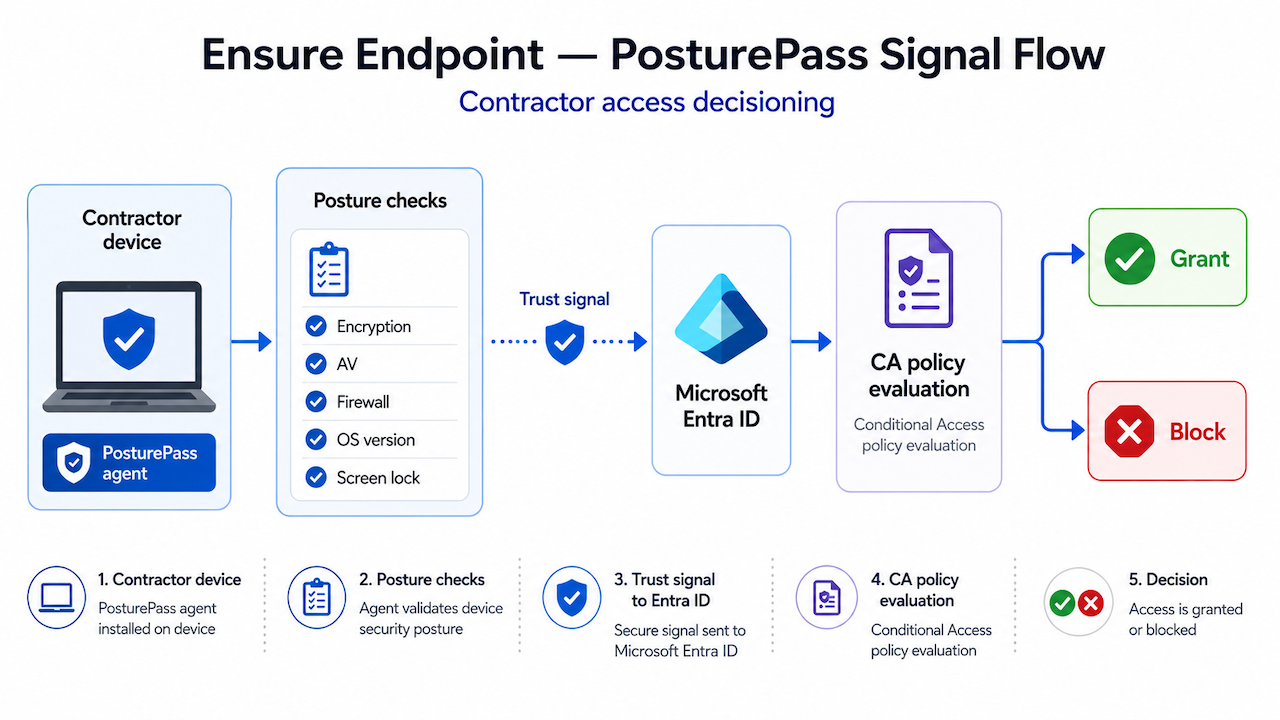
What PosturePass is
A device verification layer for unmanaged users
At sign-in, PosturePass answers one question: does this device meet your security requirements right now?
If yes, access proceeds. If no, the user gets fix steps. Every result is recorded.
Contractor signs in through your existing identity flow
No separate portal and no extra login step.
Sign in to continue
portal.company.com
Password
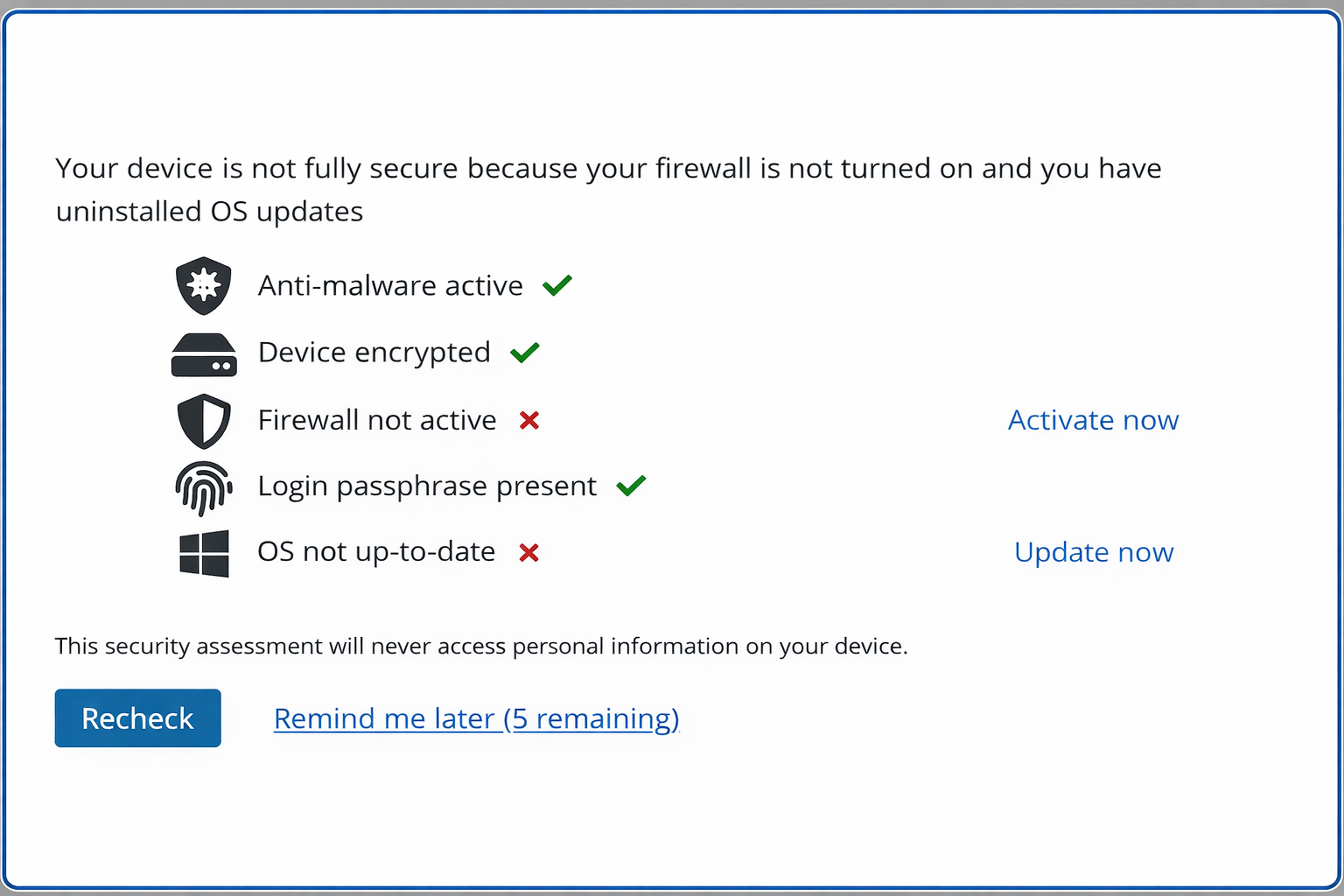
Device posture is verified in seconds
PosturePass checks the security requirements you define, including encryption, antivirus, firewall, OS version, lock screen, and risky software. Platform-specific checks can also be applied.
- Full-disk encryption: BitLocker, FileVault2, or third-party (128-bit minimum)
- Antivirus / anti-malware: presence and active status
- Firewall: enabled
- OS update currency: within your defined threshold
- Risky remote access tools: presence of tools that could expose the session
- Lock screen / passphrase: active on all accounts
A compliance result is applied to your access policy
If the device meets policy, access is allowed. If not, the user is guided to fix the issue.
Live audit log, every contractor login, every result
Evidence is recorded automatically
Each check records the user, device, controls evaluated, result, and remediation status for reporting and export.
If a device fails, the user gets clear fix steps
Most non-compliant devices are resolved by the user in minutes.
Windows example
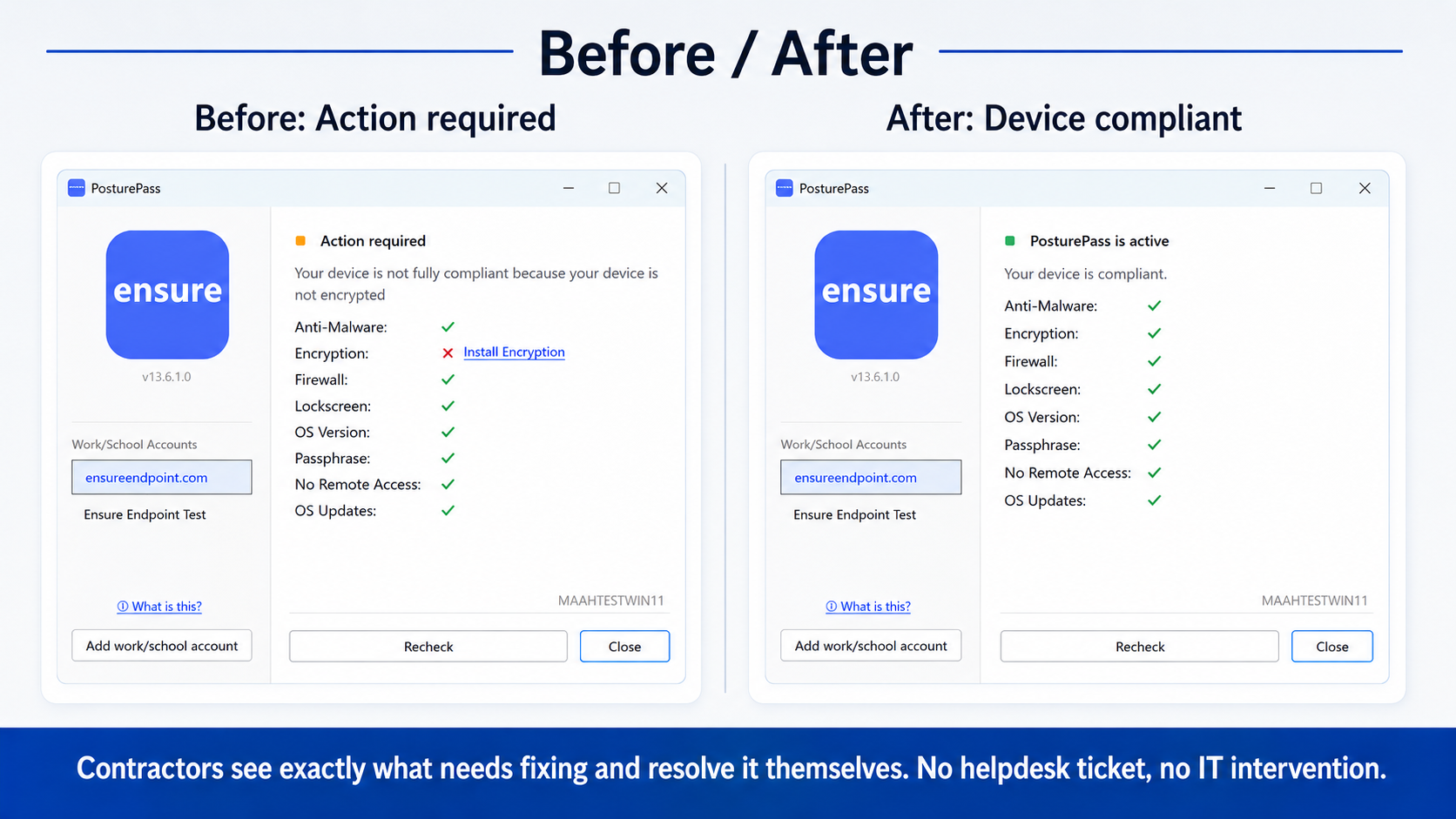
Example failure scenarios
Antivirus outdated
"Your antivirus definitions are more than 7 days old. Open [AV product] and run an update. Re-check when complete."
Disk encryption off
"Full-disk encryption is not enabled. Follow these steps to enable BitLocker / FileVault2."
Risky remote tool detected
"AnyDesk is installed on this device. This tool can expose your session. Remove it or disable it, then re-check."
Works with your existing identity stack
Identity & Access
- Entra ID Conditional Access (primary)
- Okta
- Any SAML/OIDC identity provider with conditional access or step-up capability
Protected Resources
- Microsoft 365 (Exchange, Teams, SharePoint, OneDrive)
- Windows 365 Cloud PC
- Any web application behind your identity provider
- Azure Virtual Desktop
Admin Controls
- Policy configuration per contractor group or partner organization
- Real-time compliance dashboard
- API for compliance data export
- Self-populating enrollment (devices register automatically at first login)
Helpdesk override and 24/7 ISO 9001-certified support are available as part of PosturePass's managed operations.
How PosturePass compares to the alternatives
Every approach has trade-offs. Here's where each one works, and where it doesn't.
MDM (Intune)
Citrix VDI
Enterprise Browser
PosturePass
Why not MDM (Intune) for Guests?
Intune guest enrollment requires the contractor's organization to allow MDM from external tenants. Most large service providers prohibit it. Even when possible, it forces a management profile onto a personal device.
Why not Citrix / VDI?
Citrix became the default for contractor access to avoid MDM on personal devices. But at $55 to 60/user/month for contractors who only use email and web apps, it is an expensive security wrapper.
Why not Enterprise Browsers (Island, Talon)?
Enterprise browsers require contractors to use a separate browser for work, creating friction. Some collect browsing data, and most do not provide a compliance signal to Entra Conditional Access.
Technical FAQ
Frequently Asked Questions
Still have questions?
Talk to our team about your specific compliance or distribution requirements.
Book a demoNot finding what you need? Talk to our team →
Go deeper
Specific scenarios, comparisons, and compliance detail.